Progress, Levels & the Leaderboard
Three pages tell you how you are doing: Progress, Achievements and Leaderboard.
Progress
Click Progress in the sidebar for the detail behind your dashboard.
You get your marks per lesson, how long you have spent studying, and where your weaker topics are. It is the same information your teacher sees, so there are no surprises.
Use it to decide what to revise. Sort or scan for your lowest scores and start there.
Study time is worked out from the pages you actually visit, so it updates a few minutes after you finish rather than instantly. A Refresh link recalculates it if you want it brought up to date now.
Levels and points
Points come from:
- Finishing lessons
- Passing quizzes, with more points for higher scores
- Completing in-lesson activities
Enough points takes you up a level, and each level has a badge. Your dashboard shows how many points you need for the next one.
There is no way to lose points, so nothing you try can set you back.
Achievements
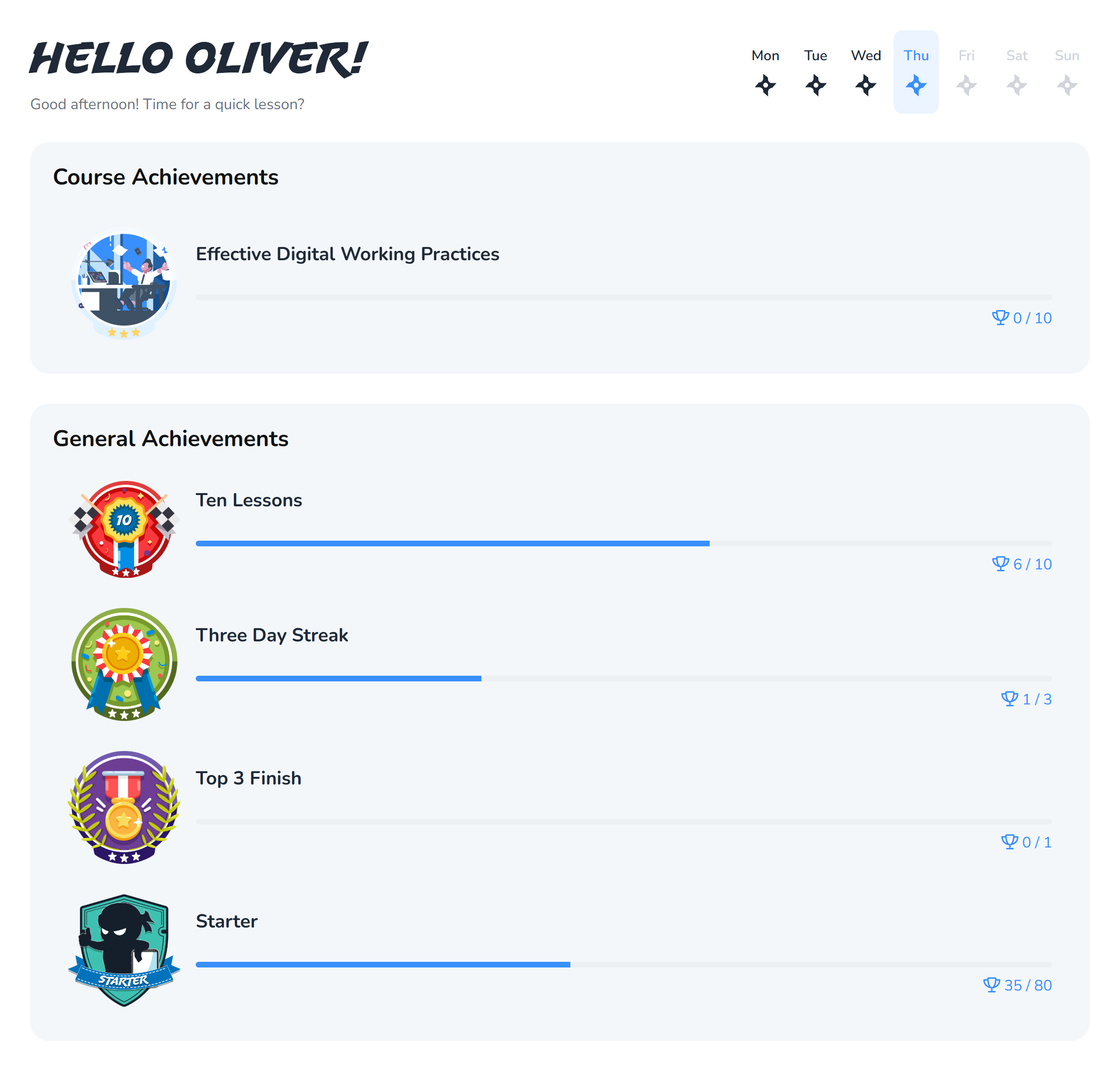
Badges are awarded for particular things: finishing your first lesson, keeping a streak going, mastering a whole course. Ones you have not earned yet are shown too, so you can see what is available.
Day streaks
Your streak counts consecutive days on which you did something. Your dashboard shows your current streak and your best ever.
A short session is enough to keep it going. Streaks are there to encourage regular practice rather than long sessions, because little and often works better for remembering things.
The leaderboard
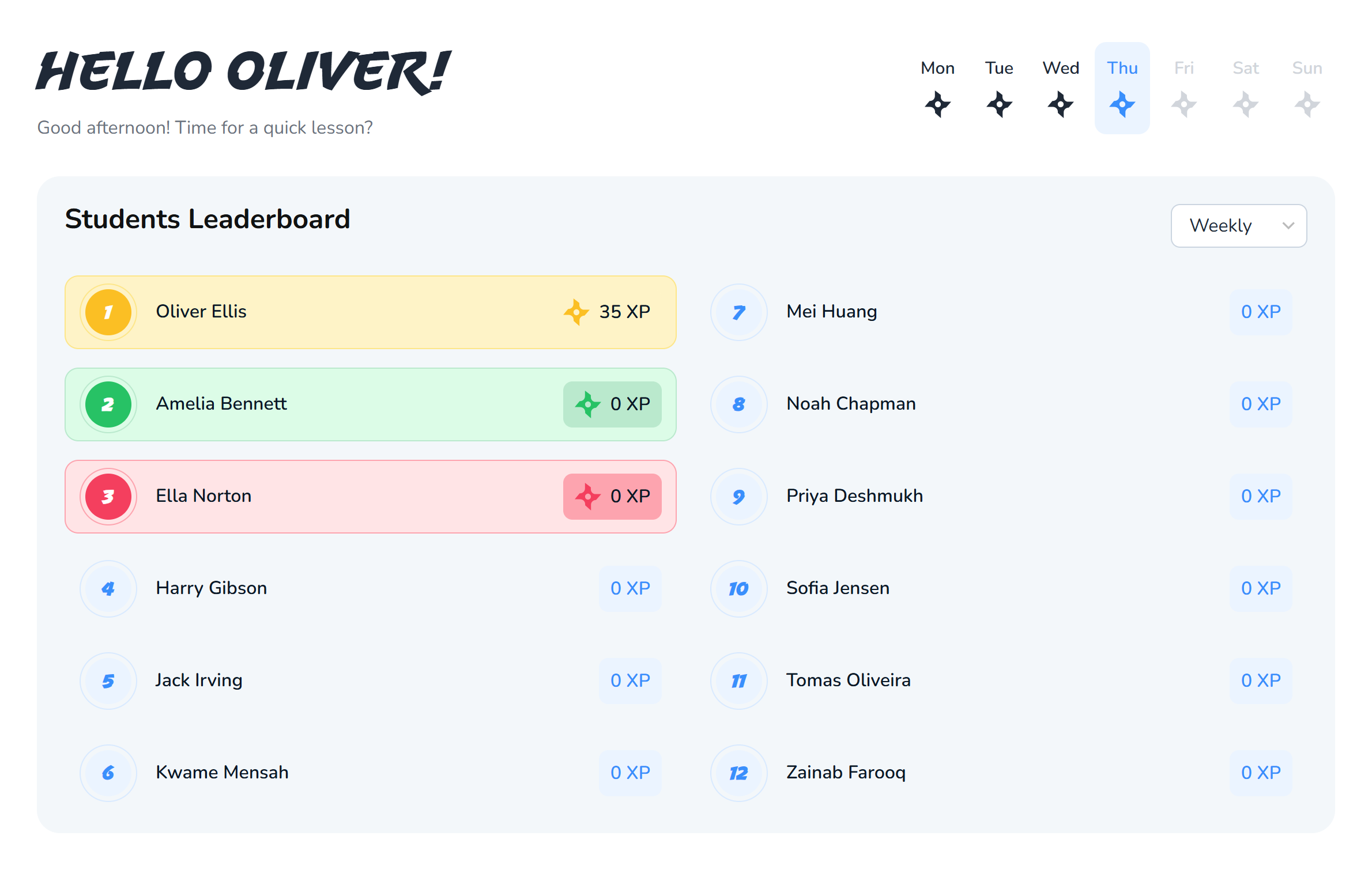
The leaderboard ranks you against your own class, not the whole site, so you are compared with people studying the same material.
Use the dropdown to change the period: this week, this month or all time. This week is the one to watch, because it resets, so a strong week puts you near the top regardless of how long you have been using the site.
Opting out
If you would rather not appear, there is an option to opt out. Your points and achievements carry on exactly as before, you simply are not listed.
What your teacher can see
Your teacher can see your scores, your study time, which quizzes you have and have not attempted, and how your tasks stand. They cannot see your password.
The point is not to catch you out. It shows them what to go over again, so if a topic is hard for most of the class, they will know to reteach it.
Screens in these guides use a demonstration account, so your own name, courses and scores will be different.