Tasks & Homework
When your teacher sets work with a deadline, it appears as a task. A task is a list of lessons to finish by a certain date.
Click Tasks in the sidebar to see yours.
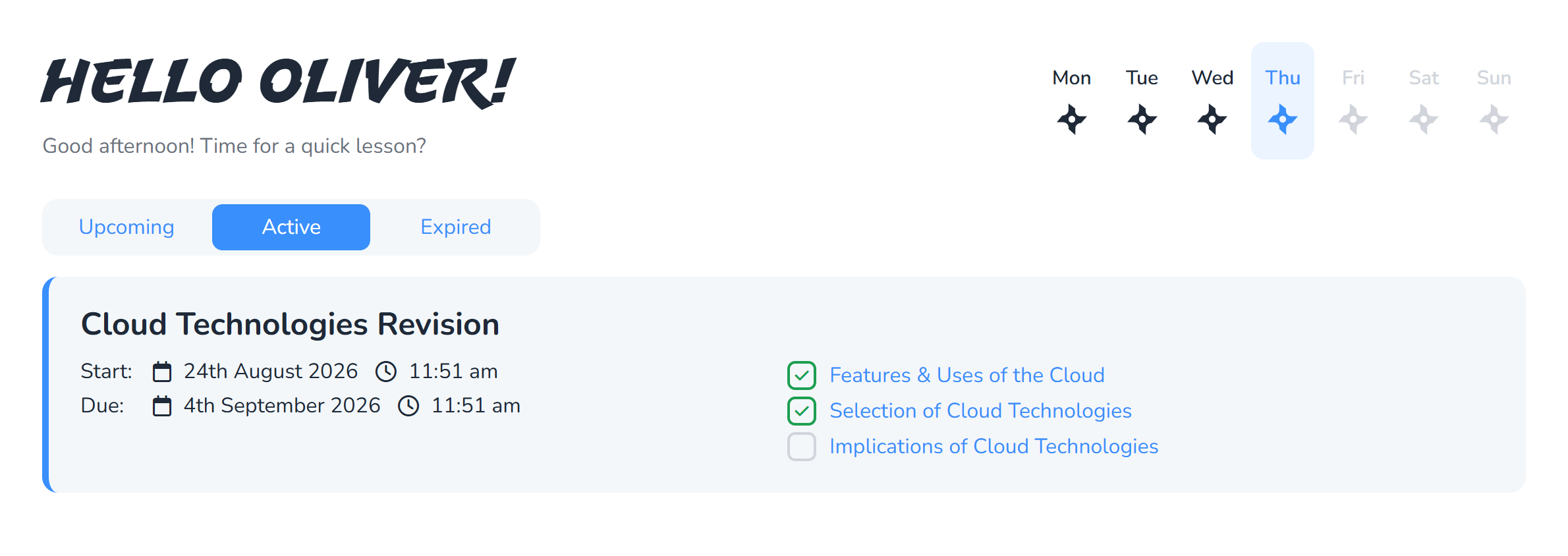
Reading your task list
Each task shows its title, its deadline, and how many of its lessons you have finished.
| Label | What it means |
|---|---|
| Active | Open now, get on with it |
| Upcoming | Not started yet, you cannot do it early |
| Completed | You have finished every lesson in it |
| Incomplete | The deadline passed before you finished |
Sort out Active tasks first, especially any close to their deadline.
Doing a task
Click a task to open it. You get the list of lessons it covers, with your progress on each.
Work through them as you would any lesson: read the slides, do the activities, take the quiz. The task updates as you go, and marks itself complete once you have passed all of its lessons.
There is nothing to hand in and nothing to submit. Finishing the lessons is what completes the task.
Deadlines
The deadline is shown on every task.
Once a deadline passes, the task cannot be completed. It becomes Incomplete, and that is final. Your teacher can see it, so if you are stuck before the deadline, it is much better to ask than to let it lapse.
Work you do after the deadline still counts towards your course progress and still earns points. It just cannot change the task.
Passing a lesson within a task
A task counts a lesson as done when you have passed its quiz during the task window.
This is worth understanding: if you passed the quiz weeks before the task was set, that earlier attempt does not count towards it. Your teacher set the task to get you to revisit the material, so retake the quiz.
If a task looks wrong
If a task lists a lesson you cannot find, or you think it has been set for the wrong group, tell your teacher. They can edit or reassign it.
What next?
- Progress, levels and the leaderboard
Screens in these guides use a demonstration account, so your own name, courses and scores will be different.